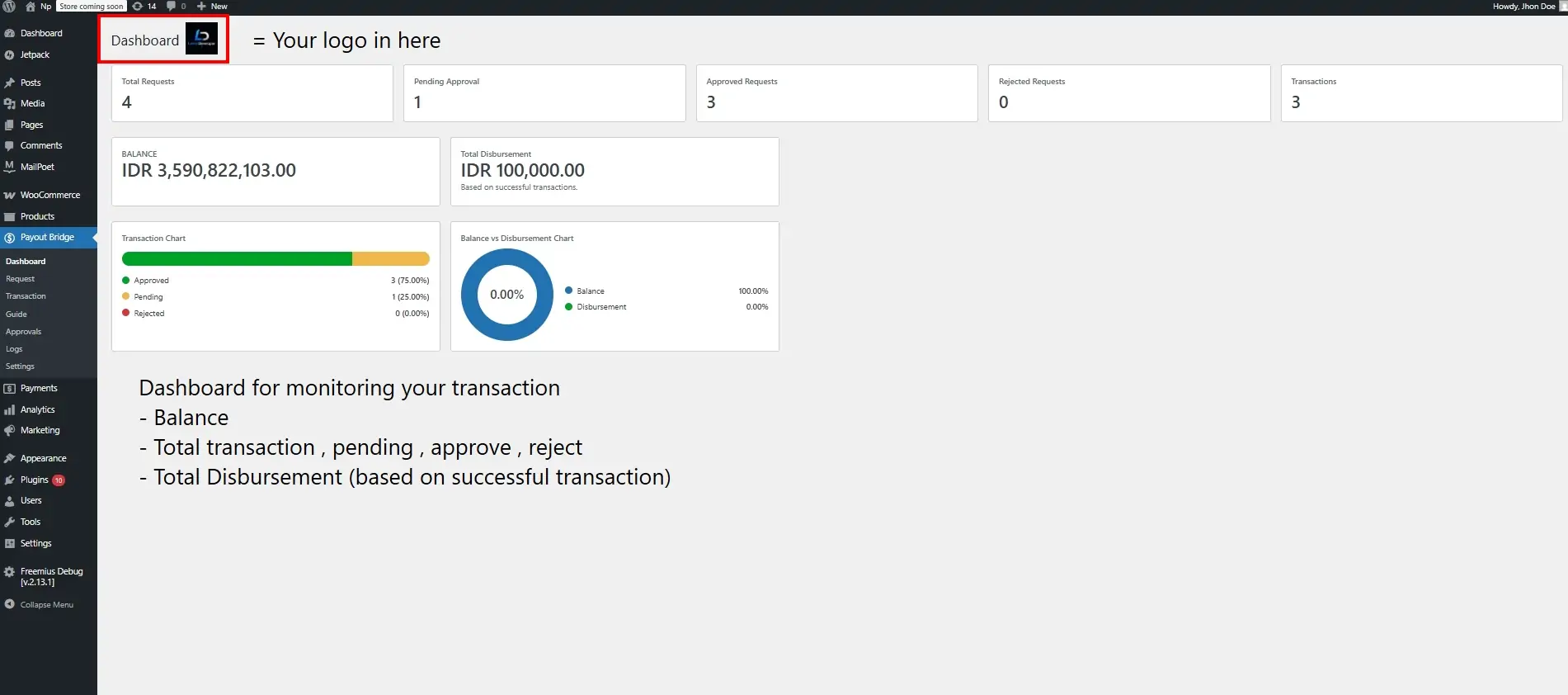
Disbursement Payout Bridge for NICEPAY ( Plugin for Wordpress ) helps your team create bank payout requests, approve them with separation of duties, and track results. In Automatically mode it connects to NICEPAY Sandbox or Production APIs and accepts signed notification callbacks. Common use cases:
- Employee salary payments
- Vendor or supplier payouts
- Affiliate commission payments
- Cashback or refund transfers
- Marketplace withdrawal payments
First-time setup
- Activate the plugin. Database tables and payout capabilities are created for Administrators.
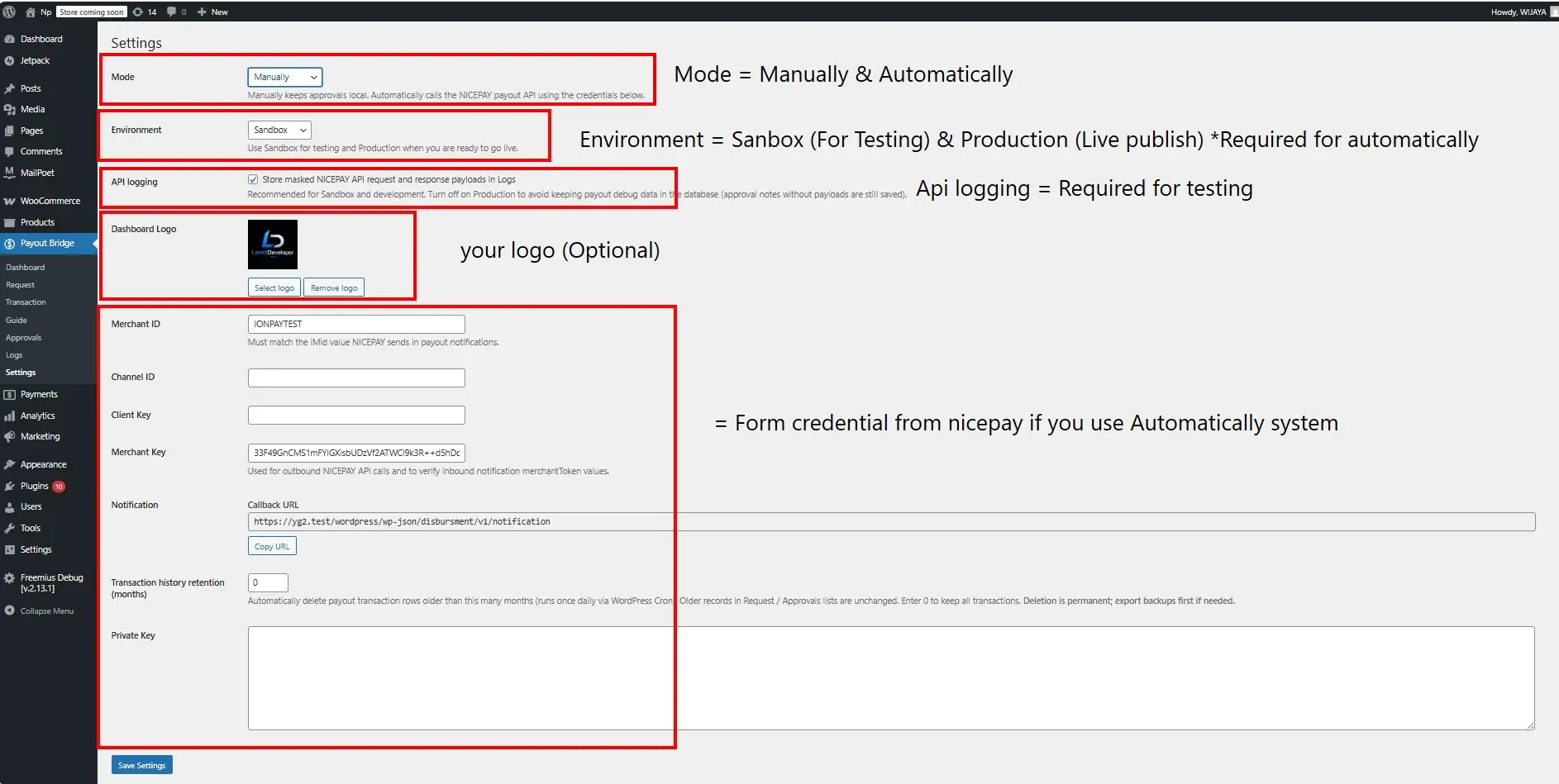
- Open Settings. Choose Manually (no API) or Automatically (live NICEPAY integration).
- Select Sandbox (dev.nicepay.co.id) for testing or Production (www.nicepay.co.id) for live payouts.
- Enter Merchant ID, Channel ID, Client Key, Merchant Key, and Private Key from your NICEPAY contract.
- Copy the Notification callback URL from Settings and register it in the NICEPAY merchant portal.
- Enable API logging only while debugging (recommended on Sandbox, off on Production).
- Use two different WordPress users to test: one creates requests, another approves them.
Daily workflowManually mode
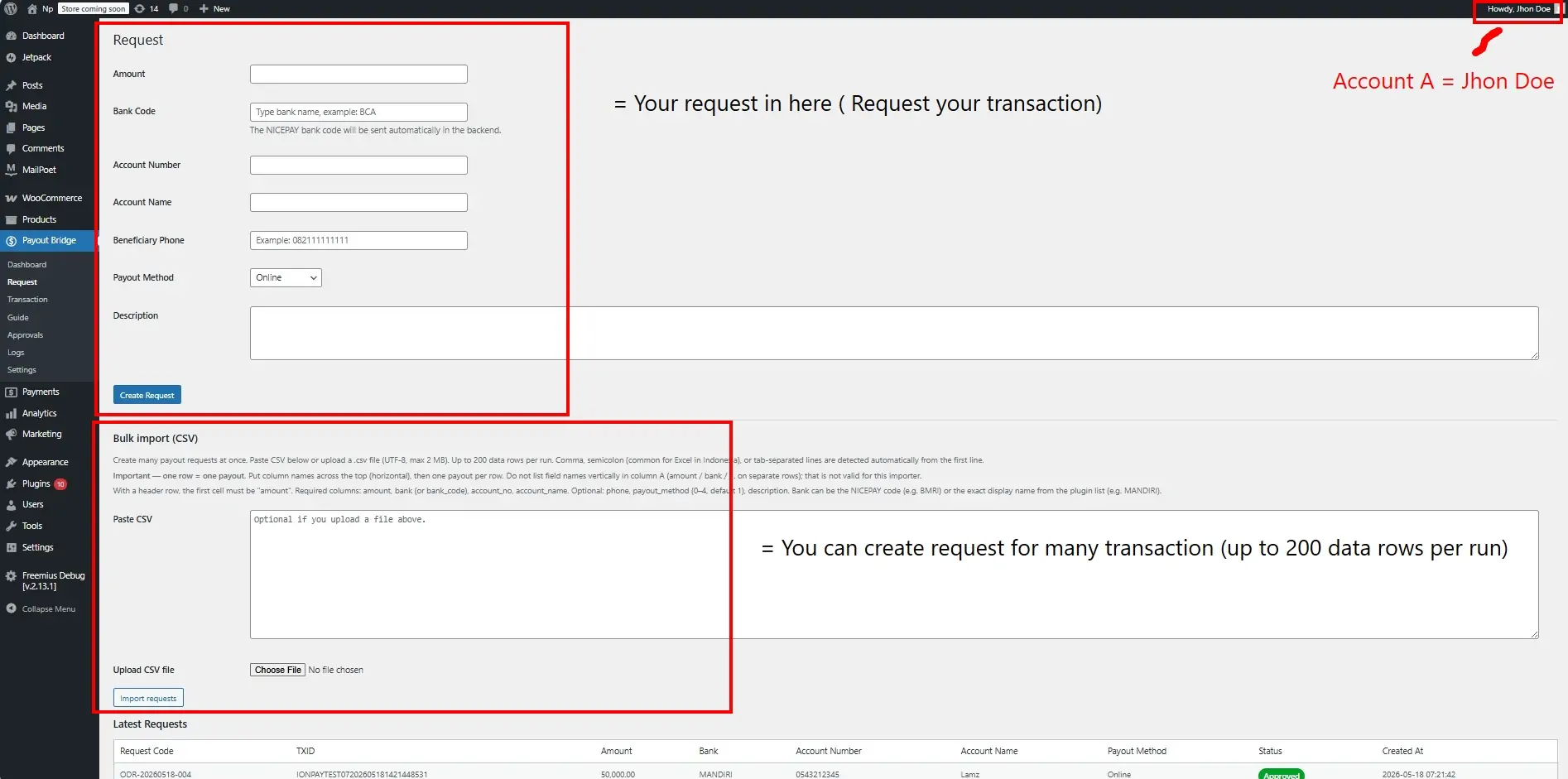
- User A: Request → create payout (or bulk CSV) → status pending.
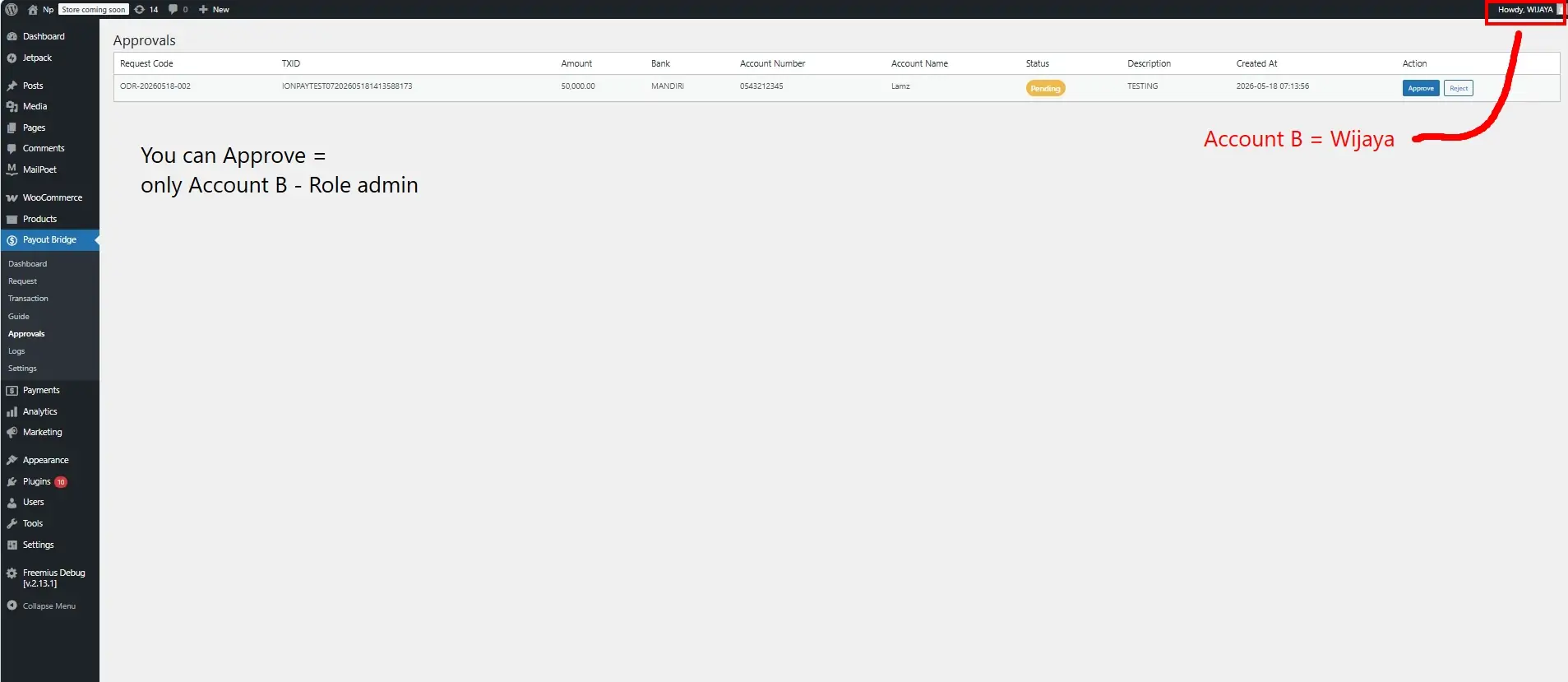
- User B: Approvals → Approve or Reject (no NICEPAY API call).
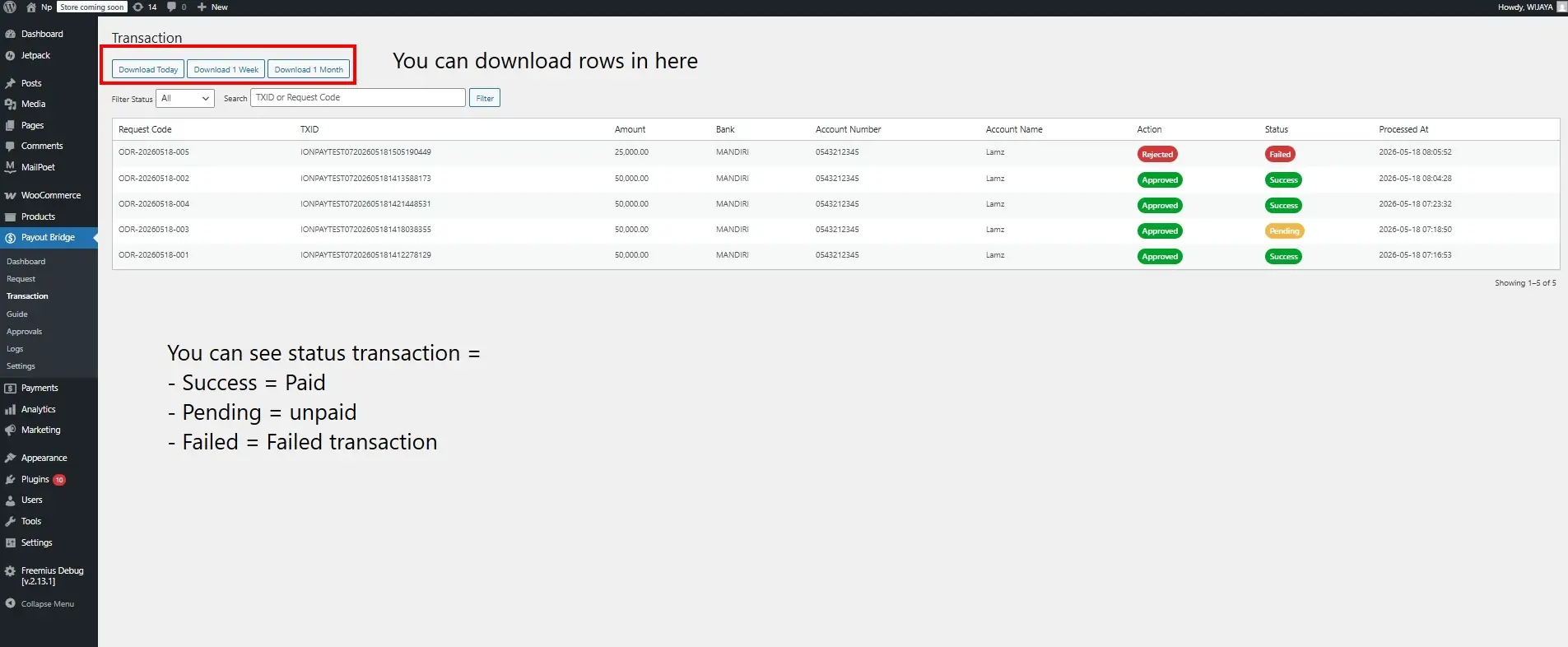
- Transaction: view history and statuses.
Automatically mode
- User A: Request → create payout → plugin registers with NICEPAY when applicable.
- User B: Approvals → Approve → plugin calls NICEPAY approve API.
- NICEPAY sends a POST notification to your callback URL; the plugin verifies merchantToken and runs inquiry.
- Transaction: final status updates; approvers may export masked reports.